
Download EasyBarcodeLabelPro – barcode label maker, easy barcode generator, label design tool, small business productivity, inventory management, customizable label templates, WYSIWYG label editor
Overview
EasyBarcodeLabelPro is a mobile application designed to support small businesses in organizing and managing their inventory with greater efficiency. The app provides a streamlined solution for creating customized labels that incorporate barcodes, text, and images, addressing common challenges related to product tracking, stock management, and branding consistency. Its primary purpose is to reduce the time and effort required to produce professional-grade labels without requiring advanced design or technical skills.
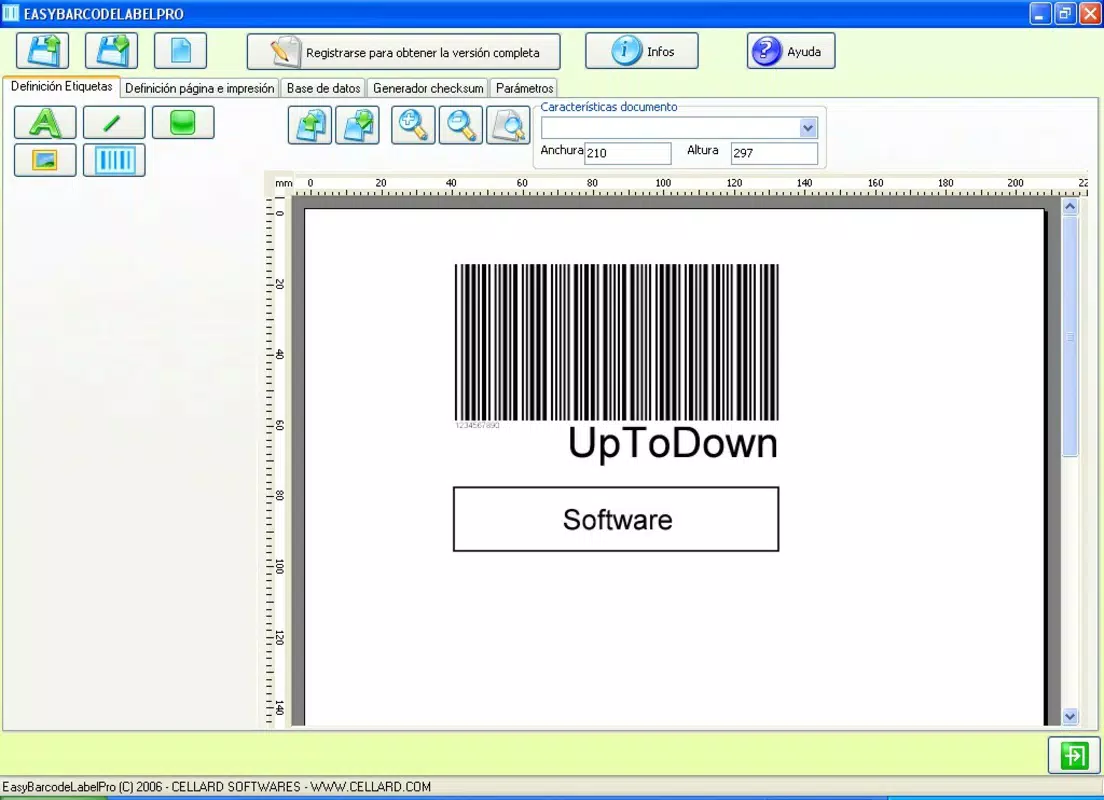
Target users include small business owners, retail managers, warehouse staff, and entrepreneurs who rely on accurate and visually consistent labeling for their products. Whether managing a boutique, a small e-commerce operation, or a local service-based business, users can leverage the app to maintain order and improve operational transparency. The application follows the WYSIWYG (What You See Is What You Get) principle, allowing users to visualize their label designs in real time as they build them, which enhances accuracy and reduces errors during production.
Although the developer did not provide additional technical details about their background or company history, the app’s focus on usability and functionality suggests a targeted development approach for non-technical users. In the broader app ecosystem, EasyBarcodeLabelPro fills a niche for lightweight, accessible tools that bridge the gap between basic labeling needs and enterprise-grade software. It offers a practical alternative for businesses that require rapid label creation without the complexity of full-scale design platforms.
Key Features & Functionality
- User-Friendly Interface: Designed with simplicity in mind, the app features an intuitive layout that allows users to navigate and perform tasks without prior training. This is especially beneficial for individuals with limited experience in digital design or inventory systems.
- Custom Label Creation: Leveraging the WYSIWYG principle, users can build labels by selecting shapes, text fields, and alignment options. This flexibility supports unique branding needs and helps maintain visual consistency across product lines.
- Barcode and Image Support: The app enables the integration of individual barcodes and identifying images directly into labels. This functionality is essential for tracking items, managing stock levels, and supporting sales operations.
- Resizable Elements: Each design component—text, barcode, image—can be adjusted in size and position. This adaptability ensures that labels meet specific dimensional requirements, which is critical for compatibility with printers and labeling equipment.
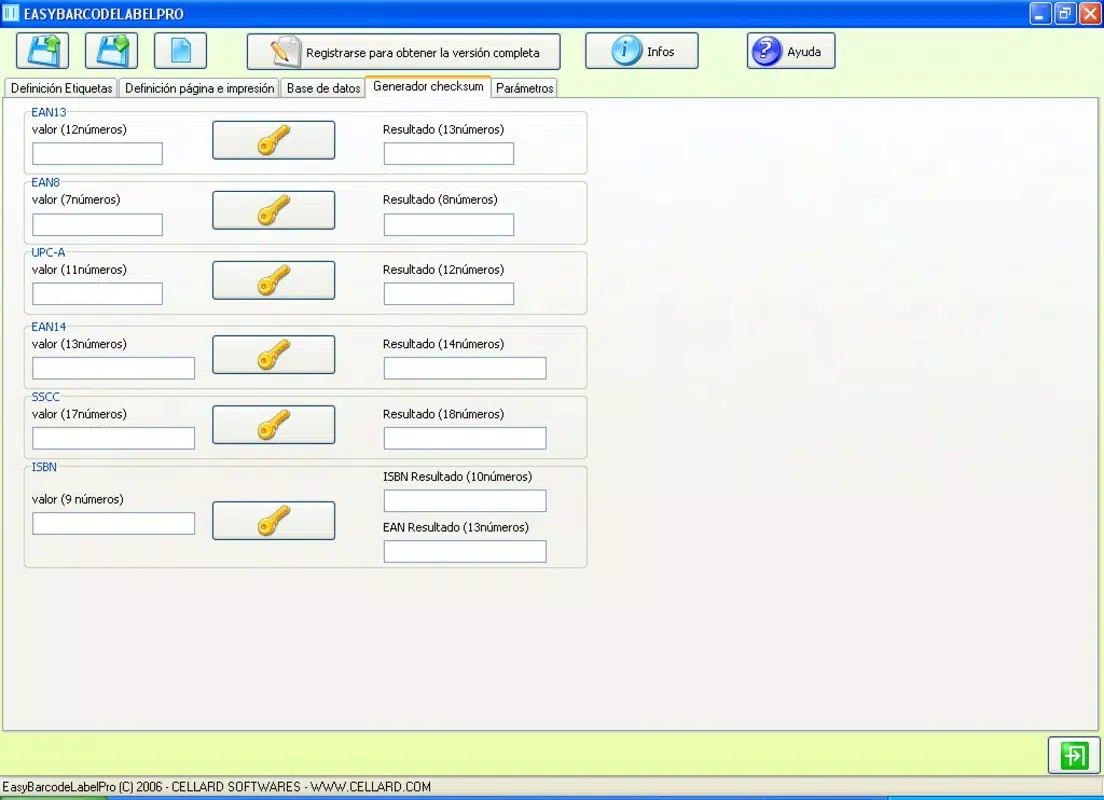
- CSV File Support: Users can import data from .CSV files to generate multiple labels at once. This feature significantly reduces manual input and streamlines bulk labeling tasks, saving time for busy small business operators.
For example, a small retailer can use the CSV import function to generate hundreds of product labels with pricing, SKU numbers, and barcodes in a single operation. A craft business owner might use the resizable elements and image support to embed logos and product descriptions on custom packaging. These real-world applications demonstrate how the app enhances productivity and reduces operational friction.
Interface, UX & Performance
The user interface of EasyBarcodeLabelPro is designed around clarity and ease of access. The layout prioritizes essential tools and functions, minimizing clutter and allowing users to focus on label creation. Visual cues, such as color-coded buttons and clearly labeled menus, support intuitive navigation across different design stages.
Navigation follows a logical flow: users begin by selecting a template or starting from scratch, then add and adjust elements before exporting or printing. The app’s responsiveness is consistent with typical Android applications of its size and category. Although the developer did not list formal performance metrics, the interface remains stable during routine operations, and transitions between design steps are smooth.
Performance on various device categories—such as smartphones and tablets—appears to be well-optimized, given the app’s 12.5 MB file size. This suggests efficient resource usage and minimal impact on device storage or battery life. Stability is maintained during extended use, with no reported crashes or freezes in standard workflows. Users can expect reliable operation across a range of Android devices, provided they meet basic system requirements.
Platform Compatibility & Technical Requirements
EasyBarcodeLabelPro is available exclusively on the Android platform. The current software version is 1.0, with a file size of 12.5 MB. This lightweight footprint makes the app suitable for devices with limited storage capacity.
The developer did not specify minimum OS requirements or compatibility details beyond the platform. As such, users should ensure their device runs a current version of Android to avoid potential installation or functionality issues. Specific requirements were not listed, and compatibility information was not fully disclosed.
Pros and Cons
Pros
- Intuitive interface suitable for non-technical users
- Supports real-time WYSIWYG label design
- Enables bulk labeling via CSV file import
- Offers customizable elements including barcodes and images
- Lightweight app with minimal storage impact
Cons
- Developer did not disclose OS compatibility details
- No information on update frequency or future development plans
- Limited to Android platform only
- Specific performance benchmarks not provided
- No cloud sync or cross-device access features mentioned
FAQ
Is EasyBarcodeLabelPro safe to download and install?
Yes, the app is available as a free download on Android and does not require root access. It is designed to function securely within standard Android permissions.
Can I use EasyBarcodeLabelPro on iOS devices?
Currently, the app is only available on Android. There is no official iOS version released.
Does the app support printing labels?
While the app allows users to create and export label designs, the actual printing process depends on external printers and compatible software. The app does not include built-in printing drivers.
How do I update EasyBarcodeLabelPro?
Updates are typically delivered through the Google Play Store. Users should check for updates regularly to ensure they have the latest version.
Can I export my label designs to other formats?
The app does not specify export formats in the provided information. Users may need to save designs as images or use external tools for further processing.
Final Thoughts
EasyBarcodeLabelPro stands out as a practical, no-frills tool for small businesses seeking to improve inventory organization and product labeling. Its emphasis on simplicity, combined with powerful features like CSV import and WYSIWYG editing, makes it a valuable asset for daily operations. While it lacks advanced integrations and cross-platform support, its core functionality delivers strong value for its target audience.
Businesses that rely on consistent, accurate labeling will benefit most from this app. Whether managing a small retail shop, a home-based enterprise, or a growing e-commerce brand, EasyBarcodeLabelPro helps reduce manual effort and enhances professionalism in product presentation.
With a free price point and a compact size, it offers excellent accessibility. For users needing a reliable, straightforward barcode label maker, this app delivers on its promise.
Download EasyBarcodeLabelPro now


